Showing posts with label ANDROID. Show all posts
Showing posts with label ANDROID. Show all posts
Bluestack " Run Android on Windows "
Labels:
ANDROID
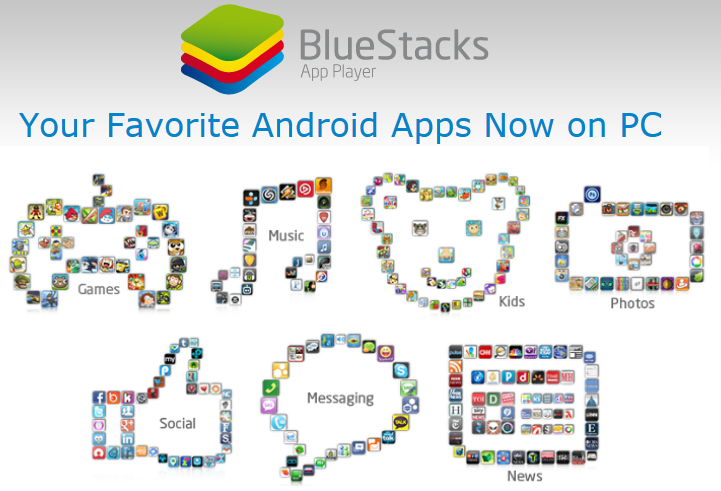
BlueStacks App Player lets you run your Android apps fast and full screen on Windows PCs and tablets.
Alpha testing recently ended, but you can sign up to be a beta tester. Join people in more than 100 countries who are using BlueStacks to run apps like Pulse, Advanced Task Killer and Alchemy full screen.
We’re always working to improve so let us know any suggestions you have that could make BlueStacks better
FAQ:
>When I agree to have my app “featured” where does it go?
When users download the App Player, there are some pre-loaded apps that actually come with the software (email us to discuss this), and then there is a button that says “Get Apps”. When people click it, their browser opens their personal “Featured Apps” to download. You app will appear on this screen, and can be discovered and downloaded to BlueStacks in one click.
>Will I be able to track how many people download my app?
Because the app will already be hosted by us, it won’t show up as downloads as it would from app stores. However you will see increased usage and we can give you data on that.
>What do I need to do to my app to make it work in BlueStacks?
Nothing – the app will run as is.
>What does this cost?
Nothing. We want to build the best possible product for our users, and the more great apps we can make easily accessible the better
>What kind of distribution does BlueStacks have?
We have hundreds of thousands of users and this number is growing fast. The first thing most all of them do when they download BlueStacks is check out Featured Apps.
>What are we getting from giving you guys permission to feature us?
Discovery and distribution. Even if only 50,000 of our users download and use your app, that’s 50,000 more than zero. If BlueStacks continues to grow as fast as it is, that number could be a lot higher.
New beta-1 release (0.7.2.751) available
Download http://adf.ly/Bbq67
Key Issues Resolved
>A “front-end crash” prevented the App Player from starting and the user could not play any apps.
>Some apps could not run on older PC hardware because of a texture generation issue in the graphics library.
>A few PC’s intermittently experienced a Windows crash
>The App Player lost network connectivity while loading game data in some apps
>WhatsApp was showing the wrong time
TigerWoods PGA Tour Armv6 HVGA
Labels:
ANDROID

Installation Instructions
1)Download and install APK file, start the game, it will ask to download data, exit
2)Download the data, copy the folder com.eamobile.twpgatour12_sonyericsson sdcard/ android/data
Note: do not copy data before you install APK
If the error message comes "not supported" then delete files in the directory tw12h.bin from
com.eamobile.twpgatour12_sonyericsson \ devdata \ DescriptorPacks \ hz
1)Download and install APK file, start the game, it will ask to download data, exit
2)Download the data, copy the folder com.eamobile.twpgatour12_sonyericsson sdcard/ android/data
Note: do not copy data before you install APK
If the error message comes "not supported" then delete files in the directory tw12h.bin from
com.eamobile.twpgatour12_sonyericsson \ devdata \ DescriptorPacks \ hz


Subscribe to:
Posts (Atom)


